Orthic Labs / Notes / Architecture
Architecture · desktop app vs web app
Desktop App vs Web App: Choose Based on Where the Job Lives
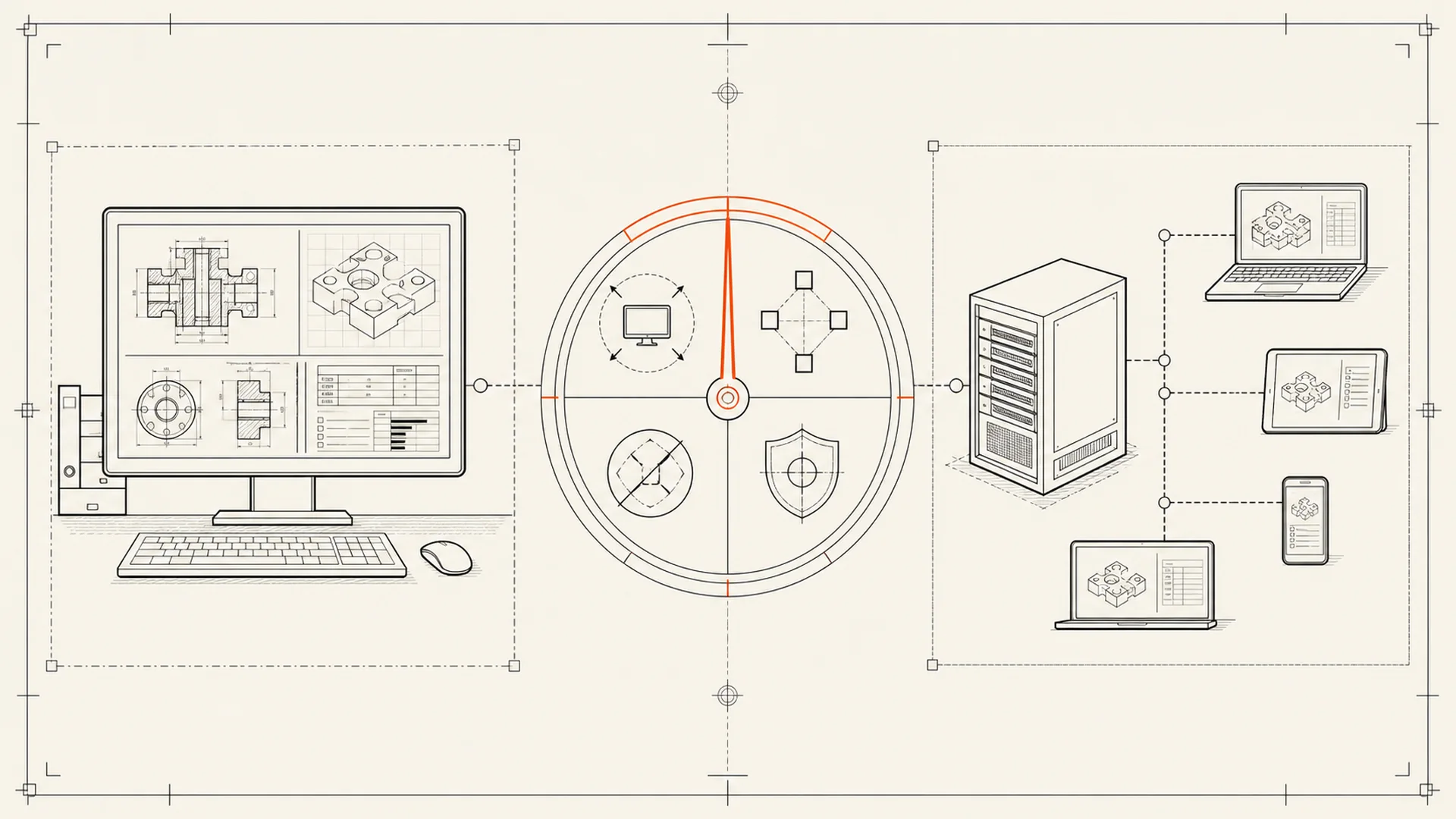
Choose a desktop app when the core job, files and device access belong on one machine; choose a web app when shared server state, instant cross-device access or real-time collaboration is the product. The window shape does not decide the architecture.
Many desktop applications are clients for remote services. Many web applications run substantial code locally in the browser. “Desktop versus web” is therefore a useful starting label, not the final decision.
Use the five-part job-location test
1. Where does the input already live?
If the work begins with local files—documents, recordings, images, source folders or a microphone—a desktop app can often operate directly without uploading the material first.
If the work begins in a shared database, team inbox or hosted project, a web app may be the natural interface because the authoritative state already lives on the server.
2. Where should the authoritative result live?
A desktop tool can write standard files to your disk. A web app can keep one shared version accessible from any device.
Ask what happens during export. If the web app is the only place the complete result exists, service continuity is part of your workflow. If the desktop app writes an obscure database with no export, local storage alone does not give practical control.
3. Which device capabilities are central?
Desktop apps can integrate deeply with files, global shortcuts, system audio, background processes, native menus, local models and operating-system services. Browsers deliberately mediate much of that access.
That mediation can be a benefit. A browser reduces installation friction and places powerful permission and sandbox boundaries between a site and the machine. A desktop app receives broader potential access and therefore asks for a stronger installation trust decision.
Microsoft notes that traditional Windows desktop apps do not participate in every privacy control used for Store applications. See Windows desktop apps and privacy.
4. Does the job need continuous shared operation?
Real-time collaboration, centralized automation, team permissions, server-side indexing and a single shared record often justify a web architecture.
Personal dictation, local document work, media conversion, device control and private file processing often fit a desktop architecture. The dividing line is not ideology. It is where coordination creates value.
5. What should fail when the connection fails?
Disconnect the network in your design, not only in your test.
- Should existing work open?
- Can a new result be created?
- Can the result be saved?
- Which optional actions stop?
- Does reconnection reconcile changes safely?
The answer reveals whether the connection is an enhancement, a prerequisite or the product itself.
A practical comparison
| Requirement | Desktop app tends to fit | Web app tends to fit |
|---|---|---|
| Work directly on local files | Strong | Requires upload or browser file access |
| Global shortcuts and device integration | Strong | More constrained |
| Offline core workflow | Natural when designed for it | Possible with deliberate offline architecture |
| Instant access from any device | Requires sync or file transfer | Natural |
| Real-time team collaboration | Requires sync infrastructure | Natural |
| No installation | No | Yes |
| Centralized updates | App updater required | Provider deploys once |
| User-controlled version continuity | Possible | Usually provider-controlled |
| Browser sandbox boundary | No | Yes |
| Local model/runtime packaging | Natural | Hardware/browser constraints apply |
These are tendencies, not guarantees. Inspect the actual product.
Privacy: neither format wins automatically
A desktop app can process files locally, but it can also transmit them. A web app must communicate with a server for normal hosted operation, but the browser may give it less access to unrelated local files.
Privacy depends on the data path:
- What does the user select?
- Which process handles it?
- Which destination receives it?
- What is stored, for how long and under whose account?
- Can the workflow operate without that transfer?
Use the desktop-app network test instead of inferring privacy from an installer or URL.
Local-first changes the comparison
Local-first software combines local authority with optional network capability. It can provide immediate local operation and later synchronization rather than forcing a choice between isolated desktop files and server-owned work.
The term still needs proof. An installed shell around a remote API is not local-first. A browser app with a durable local data model may be closer than its URL suggests.
Choose by job, not business model
Subscriptions are not inherent to web apps, and one-time purchases are not inherent to desktop apps. A hosted service often has recurring operating costs. A local product can still choose recurring pricing. Architecture explains cost; it does not dictate ethics.
For a local job, ask whether the recurring service is necessary. For a shared server job, ask whether the service delivers continuing value.
Mistakes to avoid
Choosing desktop solely for privacy. Verify connections, permissions, storage and update behaviour.
Choosing web solely for convenience. Consider export, outage behaviour and provider continuity.
Building a desktop wrapper with no desktop advantage. Installation should earn its trust cost through local files, device integration, offline operation or performance.
Forcing local architecture onto shared state. Collaboration and centralized policy may be the job.
Ignoring the update owner. Web providers control deployment; desktop users may retain an older installed version. Decide which continuity model you need.
Frequently asked questions
Are desktop apps faster than web apps?
Not automatically. Desktop apps can avoid network round trips and use native resources directly, but performance depends on implementation, hardware and workload. Web apps can be fast when server execution or caching matches the job.
Are web apps safer because they run in a browser?
Browsers provide important sandbox and permission boundaries, but the service still receives whatever data the workflow sends. Safety depends on the site, account, data handling and browser security.
Can a desktop app work across devices?
Yes, through file synchronization, peer-to-peer designs or a server sync layer. That capability adds conflict resolution, identity and security work that a purely local application may not need.
Can a web app work offline?
Yes, when designed with local storage, cached code and synchronization. Offline availability alone does not prove that the local copy is authoritative or independently durable.
Put the work in the right place
Inspect HeardRight for a microphone-centered desktop job and ViewRight for documents already on disk. Then apply the five-part test to the workflow you actually need.
About Orthic Labs: Orthic Labs is an independent software publisher. It turns open-source ingredients into finished, documented and supported desktop software.